


GRUBL™ 4D Live Wallpapers + AI
4.78.84K Reviews
App Specs
- Version
- 3.6.18
- Updated On
- License
- Free
- Downloads
- 10,000,000+
- Developer
- TarrySoft
- Categories
- Personalization
- Platform
- Android, iOS
Screenshots
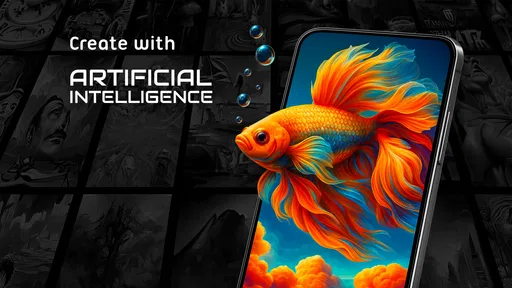
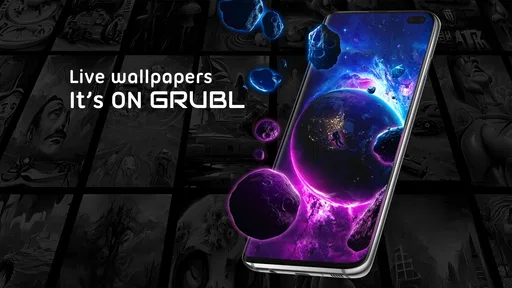
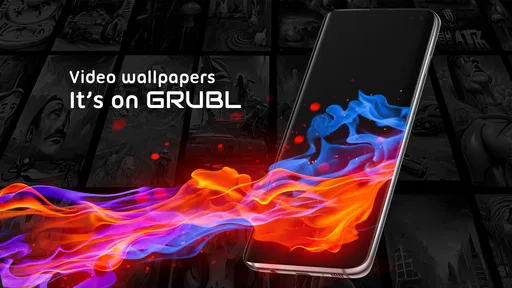
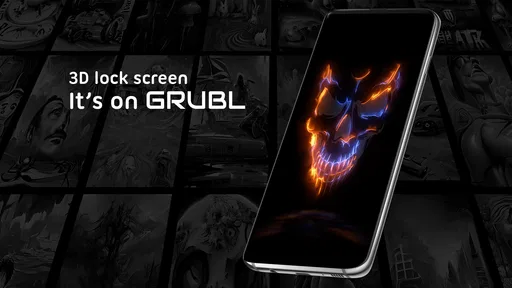
 Analysis by AppCompare
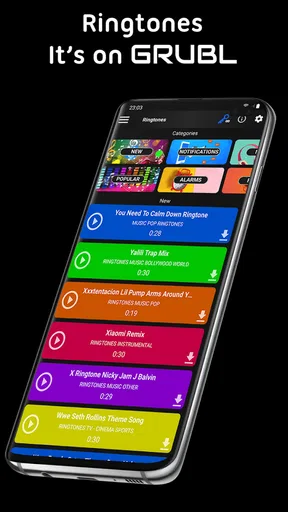
I like changing my phone’s look when the default background starts to feel stale, and GRUBL™ 4D Live Wallpapers + AI is aimed squarely at that small, satisfying kind of refresh. It’s a free personalization app from TarrySoft, built around animated backgrounds, visual depth, video wallpapers, AI creation and ringtones. The appeal is easy to understand: it gives your home screen more movement than a still image, while offering several ways to make the result feel personal.
What the free option tells you—and what it doesn’t
The app is free to install, which makes it easy to explore before deciding whether its extras matter to you. There are in-app purchases ranging from $0.49 to $99.99 per item, so “free” describes access to the app, not necessarily every item or feature inside it. I’d treat that range as a reason to check the price shown for a specific purchase before tapping, rather than assuming every wallpaper or tool is included at no cost.
That distinction matters in a category where a basic static background is often available without spending anything. If all you want is one calm image, your phone’s built-in wallpaper picker may already do the job. GRUBL makes more sense when you’re curious about motion, depth, video backgrounds or creating something yourself, and you’re comfortable browsing a mix of free and paid options.
The Magic of 4D Wallpapers
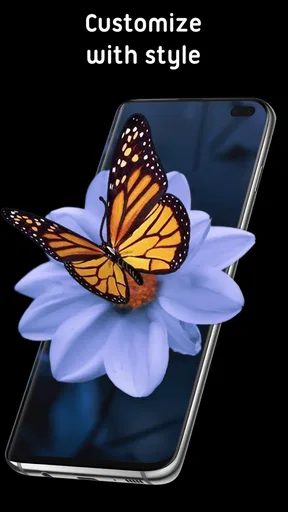
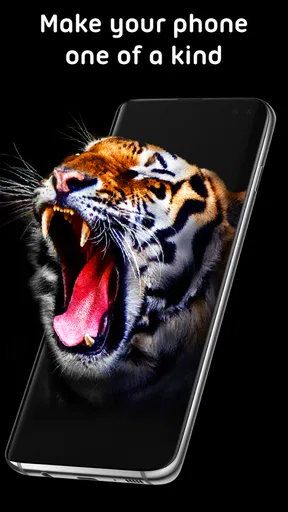
First off, what exactly are 4D wallpapers? Unlike the usual 3D wallpapers, these ones have an extra layer of depth and interactivity. When I first installed GRUBL™ 4D Live Wallpapers + AI, I was greeted with a stunning array of options. The visuals are not just animated; they react to the movement of your phone. It’s like the wallpaper is alive and responding to your every move. Trust me, it’s incredibly cool!
Customization Galore
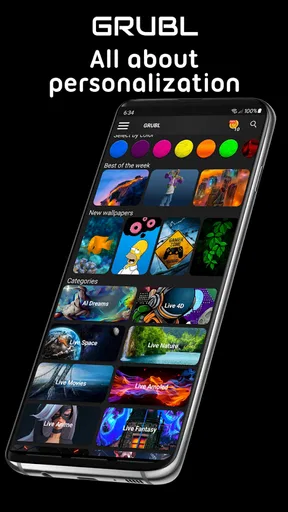
One of the best things about this app is the level of customization it offers. You can choose from a plethora of themes and styles, ensuring your wallpaper matches your mood or even the season. From serene landscapes to futuristic cityscapes, there's something for everyone. Plus, the app regularly updates with new content, so there's always something fresh to try out.
And let’s not forget the AI integration. This feature allows the app to suggest wallpapers based on your preferences and usage patterns. It’s like having a personal stylist for your phone’s screen!
Picking a background that works beyond the preview
A wallpaper can look striking in the app and still be awkward on your actual home screen. Icons and widgets sit over the image, so I’d judge a choice by whether its main subject remains visible once the screen is in everyday use. A busy pattern may look impressive full-screen but make app labels harder to scan; a quieter design can be the better pick if you rely on a crowded first page.
Worth Reading Before You Choose

EA SPORTS FC Mobile 26 Is a Bigger Football Game, but It Takes Time

Flipboard Shows What News Apps Must Do Beyond the Feed

Switching to Android Auto Means Rethinking Your Driving Routine

Google Calendar Makes a Crowded Week Easier to Manage

Ludo King Makes the Most of the Minutes Between Plans

Baby Panda World Brings Quick Play to Modern Phones, but Its Game Library Feels Busy
I’d also think about where the motion will be most noticeable. A subtle depth effect is easier to live with if you check your phone constantly, while a more dramatic scene can be fun when you unlock the device less often and want the wallpaper to feel like a little event. Switching between a lively lock screen and a calmer home screen, if your device setup allows that arrangement, is a practical way to enjoy visual effects without making every glance feel busy.
User Experience
Setting up the app was a breeze. The interface is intuitive and user-friendly, making it easy even for those who aren’t tech-savvy. I didn’t encounter any lag or crashes, which is a big plus. The wallpapers load quickly and look fantastic on both Android and iOS devices.
One small tip: make sure your device is updated to the latest OS version for the best performance. I noticed a slight improvement in speed and responsiveness after I updated my phone.
How it compares with simpler wallpaper choices
Compared with choosing a still image from your photo library or the phone’s standard wallpaper collection, GRUBL is for people who want the background itself to be part of the phone’s personality. Its motion and 4D-style depth give it a different feel from a static picture, and the combination of video backgrounds, AI creation and ringtones makes it broader than a basic wallpaper picker. The trade-off is that a simple image is quicker to choose, easier to keep visually quiet, and avoids the question of whether animated effects are worth the extra attention.
It also isn’t necessarily the right fit if you want one carefully curated, minimal home screen and never plan to change it. In that case, a single image you already own may be more direct. GRUBL is at its best for someone who enjoys browsing, trying alternatives and occasionally changing the phone’s look to match a new mood rather than setting a background once and forgetting about it.
Battery Life Concerns?
Now, you might be wondering about battery usage. Live wallpapers are notorious for draining battery life, but I found that GRUBL manages this surprisingly well. The app is optimized to minimize power consumption, so you can enjoy those vibrant visuals without worrying too much about your battery percentage.
Of course, if you’re a heavy user, you might notice a slight dip in battery life compared to static wallpapers. But in my opinion, the visual payoff is totally worth it.
My practical advice is to try one animated background during a normal day rather than judging it from a short preview. If you’re already trying to stretch a low charge, or you simply prefer the most restrained setup, switch to a static image for that day. The point of a live background is enjoyment, not having to monitor it constantly; if you find yourself worrying about the effect, the simpler option may suit you better.
Creative use without turning setup into a project
For those who love to get creative, you can even design your own wallpapers using the app’s built-in tools. It’s a fun way to personalize your device and make it truly yours. Plus, sharing your creations with friends is just a tap away.
The community aspect of the app is another highlight. You can explore and download wallpapers created by other users, making it a lively and engaging platform.
There’s a useful way to approach those options: start with a visual idea, not an endless scroll. If you want a particular color mood or a background that leaves space for icons, use that as your test while browsing. When making a design, think about how it will appear behind the clock and app grid, rather than judging only the artwork on its own. That small check can save you from choosing a beautiful image that becomes cluttered once it is applied.
The community library can also help when you want inspiration but don’t feel like building a design from scratch. I’d browse it as a source of ideas, then consider whether a creator’s composition fits my own screen layout. A wallpaper that works well on someone else’s phone may place its focal point under your widgets, so previewing before settling on it is more useful than choosing purely by thumbnail.
A routine that makes the app more useful
For a realistic everyday example, imagine you’re tired of seeing the same screen during a busy week but don’t want to spend an evening customizing your phone. You could browse for a calmer background that keeps icons easy to pick out, apply it, and leave the more elaborate animated scenes for a weekend or a time when you feel like experimenting. If you make a design you enjoy, sharing it gives the creative tools a purpose beyond simply passing time in the app.
That kind of occasional refresh is where I see the strongest case for GRUBL. It can make an ordinary unlock feel more individual without requiring you to reorganize apps, change your whole theme or commit to one look forever. On the other hand, if you prefer a phone that stays visually consistent and never want to browse or adjust backgrounds, its range of options may feel like more choice than you need.
Who is likely to get the most from it?
I’d recommend giving it a look if you enjoy animated visuals, like switching up your home screen, or want to experiment with making a background rather than only selecting a ready-made image. The app’s 4.7 average rating from around 408,000 ratings, along with over 10 million installs, suggests it has found a large audience among people interested in this kind of customization. It is rated for Everyone, and version 3.6.18 requires Android 8.0 or later.
It may be less suitable if you’re looking for a completely static, no-fuss wallpaper source, or if you don’t want to encounter optional paid items while browsing. The broad purchase range is especially worth keeping in mind if you’re exploring casually: look at the cost attached to an item before committing, and don’t treat a free download as a promise that every extra is free. The app’s value depends on whether its animated and creative options are things you’ll actually use.
Final Thoughts
All in all, GRUBL™ 4D Live Wallpapers + AI is a fantastic app for anyone looking to add some flair to their device. The combination of stunning visuals, interactivity, and customization options makes it a standout choice. Whether you’re a tech enthusiast or just someone who enjoys a bit of visual flair, this app is definitely worth checking out.
And hey, don’t just take my word for it. Give it a try and let me know what you think. Happy customizing!
My own buy-or-skip take is straightforward: start with the free access and see whether the wallpapers, creative tools and browsing experience fit your habits. If you find a background you love and an optional purchase has a clear value for you, you can decide then; if the static alternatives already make your phone feel right, there’s no need to pay for effects you won’t use. I’d try GRUBL for variety and personal expression, but skip it if simplicity is the feature you care about most.
Pros
- Stunning 4D visuals enhance home screen aesthetics.
- Wide variety of wallpapers to suit all tastes.
- User-friendly interface for easy navigation.
- AI-generated options add a unique touch.
- Regular updates keep content fresh.
Cons
- Can drain battery with constant use.
- Ads can be intrusive at times.
- Some features require in-app purchases.
- High-quality wallpapers can be large in size.
- Limited customization for AI-generated wallpapers.
FAQs for GRUBL™ 4D Live Wallpapers + AI
What is GRUBL™ 4D Live Wallpapers + AI?
GRUBL™ 4D Live Wallpapers + AI is an innovative app that provides users with dynamic 4D live wallpapers for their Android or iOS devices. The app combines stunning visuals with interactive elements, allowing users to customize their home and lock screens with eye-catching animations and AI-generated content.
How does the AI feature enhance the wallpapers in GRUBL™?
The AI feature in GRUBL™ analyzes user preferences and device interactions to suggest personalized wallpaper selections. It can also generate unique visual effects, creating a more immersive and responsive experience. This ensures that the wallpapers remain fresh and tailored to individual tastes.
Is GRUBL™ 4D Live Wallpapers + AI resource-intensive on my device?
While the app offers high-quality visuals, it is optimized to minimize battery and resource usage. However, as with any live wallpaper app, some increase in battery consumption is expected. Users can adjust settings to balance visual quality and performance according to their device capabilities.
Can I use GRUBL™ wallpapers on both home and lock screens?
Yes, GRUBL™ allows you to set live wallpapers for both your home and lock screens. The app provides easy-to-follow instructions to customize your device's appearance seamlessly, ensuring a consistent and visually appealing experience across all screens.
Are there any costs associated with using GRUBL™ 4D Live Wallpapers + AI?
GRUBL™ offers both free and premium content. While a selection of wallpapers is available at no cost, users can opt for in-app purchases or subscriptions to access exclusive designs and features. This provides flexibility depending on your preferences and budget.


